
How to Use AI Tools for Podcasting
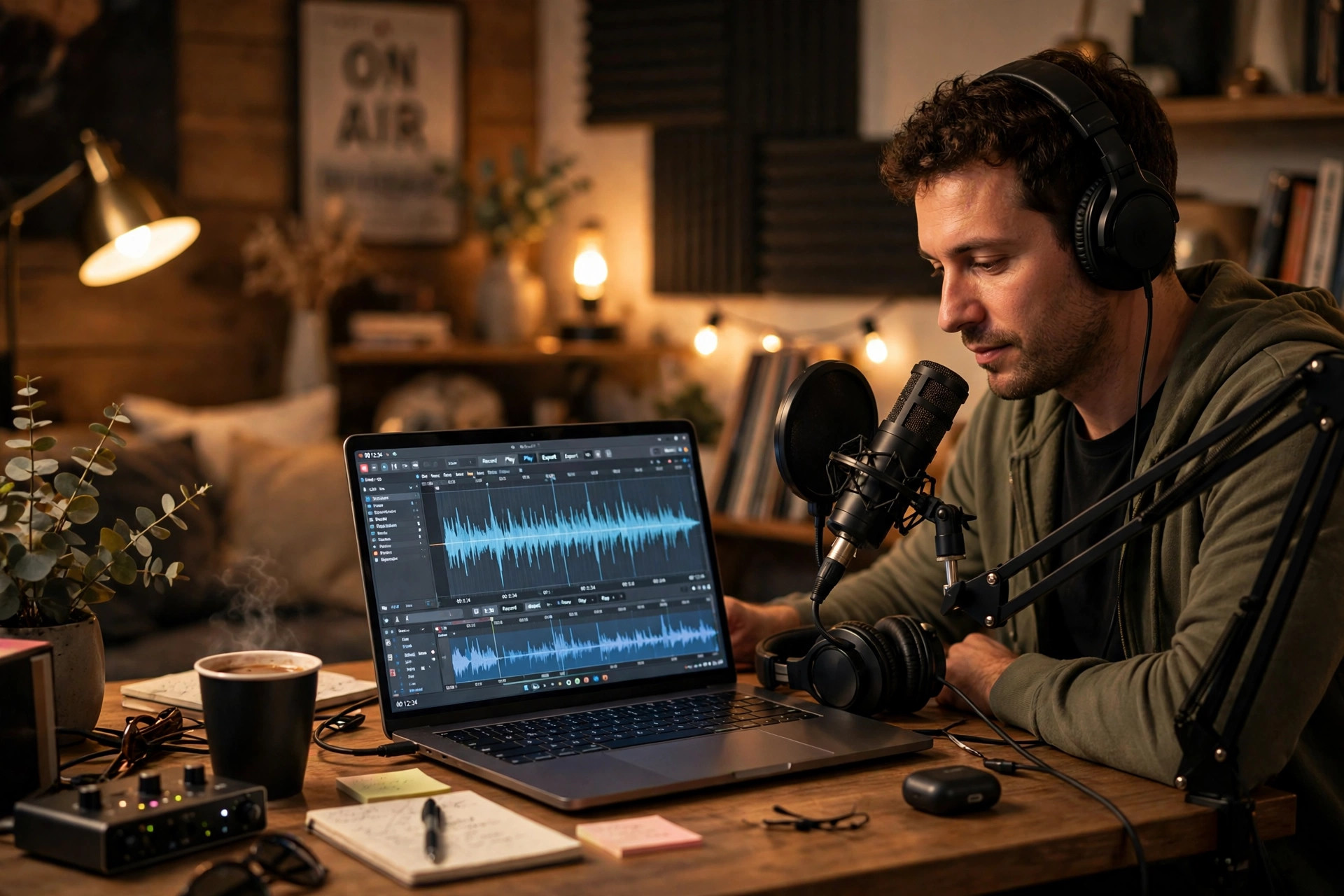
Starting a podcast used to mean buying a microphone, learning an audio editor, and spending a weekend cutting out every "um" by hand. AI has not removed the work, but it has moved it: the hard part is no longer the editing, it is the show itself — what the episode is about, who it is for, and whether anyone will listen to the second one. AI tools can now plan an episode from a rough idea, clean up a recording made in a noisy kitchen, cut the filler words out of a transcript, and write the show notes. The tools are genuinely good at the mechanical parts, and genuinely bad at the parts that make a podcast worth hearing: taste, judgment, and a voice that sounds like a person rather than a press release. This guide shows how to use AI tools for podcasting properly: which tool fits which job, how to plan and record so the AI has something worth working with, and where the honest limits are.
What AI podcasting tools actually do — and what they do not
There are five different kinds of tool hiding under the label "AI podcasting", and most disappointment comes from using the wrong kind for the job. Transcript editors, such as Descript and Podcastle, transcribe your recording and let you edit the audio by editing the text: delete a sentence from the transcript and the audio goes with it. Audio cleaners, such as Adobe Podcast Enhance Speech and Auphonic, take a finished recording and remove noise, echo, and uneven volume, and bring it to the loudness podcasts are expected to hit. AI generators, such as NotebookLM Audio Overviews and ElevenLabs, create spoken audio from documents or from text you write. Transcribers, such as Otter.ai and Fireflies.ai, turn interviews and remote calls into searchable text with summaries. And general chatbots, such as ChatGPT and Claude, do the writing around the show: episode outlines, titles, show notes, and social posts. Our guides on how to use AI tools for music and how to use AI tools for video editing cover the neighbouring crafts; this guide is about spoken audio and the show around it.
None of these tools knows what makes your show worth listening to. An AI can remove every filler word from an episode and still leave an episode nobody finishes, because the idea was thin, the guest was bored, or the host read a script like a terms-and-conditions page. AI is excellent at the measurable parts of podcasting — noise, volume, filler words, spelling — and blind to the parts listeners actually judge: whether the conversation was interesting, whether the host was curious, whether the story went anywhere. The tools do the polishing; you supply the reason to listen.
Step 1: Decide what the show is before you open a tool
Every podcast that survives past episode ten has one clear sentence behind it, and every podcast that dies quietly does not. Before you touch an AI tool, write the sentence down: who the show is for, what they get from each episode, and why they should listen to you instead of the thousand other shows on the same topic. "A weekly show about restoring classic cars for people doing their first project" is a show. "A podcast about cars" is not — it is a category, and categories do not get subscribers. Then decide the format, because the format decides everything the AI will be asked to do later: a solo show is one voice and one recording; an interview needs a guest, a call recorder, and a transcript; a narrative show needs a script and far more editing time. Pick the format you can actually repeat every week, not the format that sounds most impressive.
Then set the practical limits. How long is an episode — twenty minutes, forty, an hour? How often — weekly, fortnightly, monthly? A weekly twenty-minute show you can sustain for a year beats a weekly ninety-minute show that collapses after episode four, and the AI tools in this guide are metered by the hour, so the length you choose is also a budget decision. Write down a simple production promise: record on this day, edit on this day, publish on this day. The tools will save you hours, but only a schedule saves the show.
Step 2: Plan the episode with AI, then write an outline a human would want to hear
Planning is where AI earns its place fastest, because a good episode is a good outline with room to breathe. Start with the idea, not the tool: one question the episode answers, or one story it tells. Feed that question to a chatbot and ask for an outline, not a script — "Give me a 30-minute episode outline on this topic, with a hook, three segments, and two questions per segment." A chatbot such as ChatGPT or Claude will give you a structure in seconds, and the structure is usually better than the words: use its headings, rewrite its sentences in your own voice. If you already have research — articles, a report, your own notes — NotebookLM is the better tool: upload the sources and ask it questions, and it answers only from what you uploaded, with citations back to the original passages. The rule is simple — never plan an episode from the chatbot's memory alone when you have real sources to ground it in.
Then turn the outline into a spoken shape. A podcast is not an essay read aloud, and the most common beginner mistake is writing a script and reading it like a newsreader. Write bullet points, not paragraphs: the point to make, the example that proves it, the question that opens the next segment. Mark the hook — the first sentence a listener hears — and make it a promise, not an introduction: "The car in this story sat in a barn for 31 years, and the first person to open the door found something nobody expected" earns the next minute. If you interview a guest, send them the questions a day early — guests who know the shape of the episode give better answers than guests who are ambushed by it.
Step 3: Record properly — AI cannot rescue a bad recording
Every AI cleaner in this guide has the same limit: it can improve a decent recording, and it cannot save a terrible one. Before you spend a penny on software, spend twenty minutes on the room. Record in the smallest, softest room you have — a bedroom with curtains and a bed beats a kitchen with bare walls and a tiled floor, because hard surfaces bounce your voice back as echo, and echo is the one thing AI struggles to remove cleanly. Close the windows, turn off the fan, put your phone on silent, and record a ten-second test before the real take: play it back and listen for hum, hiss, and traffic.
On equipment, the honest truth is that a decent USB microphone in a quiet room beats an expensive microphone in a noisy one. A microphone on a boom arm or a stand, about a fist's width from your mouth and slightly off to one side so your breath does not hit it directly, will do. Record each speaker on a separate track when you can — most recording tools, including Podcastle's studio and Descript's recording, support separate tracks — because separate tracks let you fix one person's volume without touching the other's. Record in WAV if your tool offers it, not MP3, because WAV keeps the full quality for the AI to work with. And record thirty seconds of room tone — the sound of the empty room — at the start of every session: it is the raw material the noise-reduction tools use to learn what to remove.
Step 4: Clean the audio with AI — noise, echo, and loudness
Cleaning is the step where AI feels like magic, and it is also the step where overdoing it is easiest. Start with the free tools, because for most solo podcasters they are enough. Adobe Podcast Enhance Speech is a free browser tool: upload your audio and it removes background noise, room echo, and chatter, and brings the voice forward to near-studio clarity. The free tier covers audio files up to 30 minutes and 500 MB, one file at a time, up to one hour of enhancement a day. Since late August 2026 Adobe no longer sells Podcast Premium on its own to new subscribers — the paid features now come through the Firefly Pro plan at $19.99 a month in the US, which raises the limits and adds video support and bulk upload. The catch: the free tier gives you one strength setting, no adjustment, and on a badly recorded file the result can sound over-processed — slightly robotic, with breaths and laughter flattened. Always compare the before and after on headphones, and if the cleaned version sounds less like you than the original, use less of it or re-record.
Then finish with loudness, which is the part listeners notice without knowing its name. Podcasts are expected to sit at about −16 LUFS for stereo, the loudness level streaming platforms normalise to; an episode that is much quieter than the show before it makes the listener reach for the volume. Auphonic is the tool built for exactly this job: upload your finished edit and it levels the voices, reduces noise and hum, cuts filler words and silences, and masters the file to the right loudness. It is free for two hours of processed audio a month — with a short Auphonic jingle added to the output — and paid plans start at about $11 a month on annual billing for nine hours, or you can buy one-time credits from $12 for five hours that never expire.
Step 5: Edit by transcript — cut the words, not the waveform
This is the step that changed podcasting most, and it is worth learning properly. In Descript, your recording is transcribed automatically, and you edit by editing the text: delete a sentence from the transcript and the audio disappears with it; drag a paragraph and the audio follows. It turns a three-hour editing job into forty-five minutes, and it is the single biggest reason a solo podcaster can publish weekly. Descript's free plan covers 60 media minutes a month with 100 one-time AI credits; Hobbyist is $16 a month on annual billing, and Creator is $24, with 30 media hours, full Overdub voice cloning, and 4K export. Its AI features do the fiddly work: Studio Sound cleans the voice, filler-word removal deletes the ums and uhs in one pass, and Overdub can generate a word in your own cloned voice to fix a misspoken line — but cloning a voice needs clear consent, and you should only ever clone your own voice, or a guest's with their written permission.
Podcastle is the simpler alternative, and for many beginners it is the better first tool: it records, transcribes, edits, and publishes from one place, with an AI that removes silence and background noise, and a text-to-speech studio for intros and ads. It has a free plan, and paid plans from about $11.99 a month on annual billing. The editing workflow is the same in both tools, and it is worth doing in the same order every time: first, cut the big things — false starts, dead air, the segment that did not work — then remove the filler words in one pass, then listen to the whole episode at normal speed and cut anything that bores you. That last step is the one AI cannot do: if you are bored listening to your own edit, the listener will be bored too. Export as MP3 and keep a WAV master of every episode.
Step 6: Turn one episode into show notes, chapters, and clips
An episode that is only audio is only half published. The written material around it — the title, the show notes, the chapters, the social posts — is what gets the episode found, and AI does most of this work well, as long as a human checks it. Start from the transcript, not from memory: upload it to a chatbot and ask for three things at once — a title under 60 characters, a show-notes summary of 150 words, and five chapter titles with timestamps. Then check every claim in the summary against the transcript, because chatbots invent details with total confidence, and a show note that promises something the episode never says is worse than no show note at all. For remote interviews recorded over a video call, Otter.ai and Fireflies.ai transcribe the call live and return a searchable transcript with a summary; Otter has a free plan, and paid plans from $8.33 per user a month on annual billing.
Then make the episode discoverable. Chapters with timestamps help listeners jump to the part they care about; Auphonic can generate them automatically on paid plans, and a chatbot can draft them from the transcript in seconds. Write the description for a human scanning a podcast app, not for an algorithm: the first sentence should say what the listener gets, the second should name the guest or the story. And make one short clip per episode for social media — a 30 to 60 second moment that works without context, with captions burned in, because most people watch with the sound off. One episode, one clip, every time.
Step 7: Publish, distribute, and learn from the numbers
Publishing a podcast is not uploading a file to one app; it is publishing an RSS feed that every app reads. You need a podcast host — the service that stores your audio files and generates the feed — and the good news is that starting is free: Spotify for Creators, the free host from Spotify, stores your episodes, distributes them to Spotify and Apple Podcasts, and gives you basic analytics. Submitting to Apple Podcasts and Spotify takes a day or two of approval the first time, so publish your first episode at least a week before you tell anyone about the show, and launch with two or three episodes ready: a new listener who finishes one episode and finds nothing else to play will not come back.
Then watch the numbers that matter and ignore the ones that do not. The two numbers that tell you whether the show works are downloads per episode after seven days, and the average listen — how far into the episode people actually get. If downloads are growing but the average listen is falling, the show is being found and not finished, which is an episode problem: tighten the opening, cut the slow middle, or shorten the episode. If downloads are flat but the average listen is high, the show is good and undiscovered, which is a promotion problem: make more clips, appear as a guest on a similar show, and ask listeners to share one specific episode rather than the show in general. Check the numbers weekly, not daily — daily numbers are noise.
Tools to try, with honest notes
Descript is the transcript editor to start with if you edit your own show. The free plan is genuinely usable for one short episode a month, and the Creator plan at $24 a month on annual billing is where weekly podcasters land. Podcastle is the simpler all-in-one: record, edit, and publish from one place, with a free plan and paid plans from about $11.99 a month on annual billing. It is less powerful than Descript for deep editing, and better for a beginner who wants the whole workflow in one tab. Adobe Podcast Enhance Speech is the best free audio cleaner: genuinely free, genuinely good on noisy speech, limited to one 30-minute file at a time and one hour a day. Auphonic is the finisher: two free hours a month, paid from about $11 a month.
NotebookLM is the planning and research tool, and the most surprising one in this list: upload your sources and it generates a podcast-style conversation between two AI hosts discussing them — an Audio Overview of six to fifteen minutes, three a day free, or twenty a day on Plus at $19.99 a month through Google AI Pro. It is brilliant for turning research into a listenable draft, and useless as a replacement for your own show: the hosts sound pleasant and generic, and a show made of Audio Overviews is a show with no host. ElevenLabs is the voice tool: realistic text-to-speech for intros, ads, and narration, with a free tier of 10,000 credits a month — roughly ten minutes of audio — and paid plans from $6 a month. Otter.ai and Fireflies.ai are the interview tools: live transcription and summaries of remote calls, free to start, paid from about $8.33 per user a month for Otter. And ChatGPT and Claude are the writing desk: outlines, titles, show notes, and social posts. The honest summary: start free; pay first for the editor you use every week, and only then for anything else.
Common pitfalls, honestly stated
The first pitfall is publishing AI-generated episodes and calling them a podcast. A show made entirely of synthetic voices reading chatbot text is not a podcast; it is a press release with a soundtrack, and listeners can tell within thirty seconds. AI voices are a tool for intros, ads, and narration — not a replacement for a host who cares about the subject. The second pitfall is over-cleaning: Enhance Speech and Studio Sound at full strength can strip the life out of a voice, removing the breaths, the laughter, and the small hesitations that make a person sound like a person. If the cleaned audio sounds like a robot reading your words, you used too much of it — turn the strength down, or re-record. The third pitfall is trusting the transcript. AI transcription runs around 92 to 95 percent accurate on clean single-speaker English, and noticeably worse on crosstalk, accents, and jargon — and a wrong word in the transcript becomes a wrong edit when you delete by text. Always listen to the section you are about to cut, especially names, numbers, and anything a guest said that matters.
The fourth pitfall is the rights question, and it is the one that can cost real money. Only clone a voice you own or have written permission to clone — a guest's voice, a co-host's voice, or a celebrity impression is not yours to copy, and most platforms now require consent for synthetic voices. Check the licence on any AI-generated music or sound effect before it goes into an episode. The fifth pitfall is buying tools before the show exists. A new podcaster with five subscriptions and zero published episodes has bought a hobby, not a show — publish ten episodes on the free plans first, and let the workflow tell you which tool is worth paying for. And the sixth is the disappearing file: free cloud projects can vanish after a period of inactivity, so keep your own copy of every recording, every transcript, and every exported episode, in a folder you control.
Frequently asked questions
Can AI make a whole podcast episode for me? Yes, and you probably should not let it. NotebookLM can turn your documents into a listenable two-host conversation, and ElevenLabs can read a script in a realistic voice — but the result has no opinions, no curiosity, and no reason for a listener to come back next week. AI is best used for the parts around the performance: planning, cleaning, editing, show notes, and promotion. The performance itself — the thing people subscribe to — still needs a human who cares about the subject.
Which AI podcasting tool should I start with? Start free, in this order: plan the episode with ChatGPT or Claude, record in a quiet room, clean the audio with Adobe Podcast Enhance Speech, master it with Auphonic's free two hours, and edit by transcript in Descript's free plan or Podcastle's free plan. Publish three episodes that way before you pay for anything. The first tool worth paying for is the editor you use every week — for most solo podcasters that is Descript Creator or Podcastle's paid plan.
How much do AI podcasting tools cost? You can start at $0: Enhance Speech, Auphonic's two free hours, NotebookLM's free tier, and the free plans of Descript and Podcastle cover a monthly show. A weekly show on paid plans costs roughly $25 to $50 a month in late 2026 — a transcript editor at $24 a month, plus Auphonic credits at about $11 a month. The most expensive mistake is buying five subscriptions before publishing a single episode: prove the show first, then buy the tools the workflow actually needs.
Do I need expensive equipment to start a podcast? No. A decent USB microphone in a quiet, soft-furnished room will sound better than an expensive microphone in an echoing kitchen, and AI cleaning tools such as Enhance Speech exist precisely to close the remaining gap. Spend your first money on the room — curtains, a rug, a door that closes — and on a microphone arm that keeps the mic still and close. Upgrade the microphone only when you can hear the difference in your own recordings, and upgrade the room before you upgrade anything else.
Is it legal to clone a voice for my podcast? Cloning your own voice is fine. Cloning someone else's voice needs their clear, written consent, and using a cloned voice to fake an endorsement, a guest appearance, or a statement the person never made can be illegal in many places and is against the terms of every major voice platform. Descript's Overdub, for example, requires consent for voice cloning. The safe rule is simple: only clone a voice you own, only with consent in writing, and always disclose when a voice in your episode is synthetic.
How do I get my podcast on Spotify and Apple Podcasts? You need a podcast host that generates an RSS feed — Spotify for Creators is free and does this — and then you submit that feed to Apple Podcasts Connect and Spotify, which takes a day or two of approval the first time. Every app that matters reads the same RSS feed, so you submit once per platform and every new episode appears automatically. Launch with two or three episodes ready, because a new listener who finishes one episode and finds nothing else to play will not come back.
Take one idea you actually care about, one listener you can name, and one episode you can record this week. Plan it with a chatbot, record it in the quietest room you have, clean it with the free tools, edit it by transcript, and publish it — imperfect, on time, and yours. The first episode will not be good; the tenth will be recognisably a show. That is what AI podcasting tools actually are: not a shortcut to an audience, but a way to spend your hours on the show instead of the editing — and the show is the only part that was ever the job.
More tools to explore
ChatGPT
A general AI assistant for writing, brainstorming, explanation, analysis and everyday problem solving.
CLClaude
An AI collaborator suited to long documents, complex reasoning, first drafts and multi-step project work.
PXPerplexity
An answer and research tool built around web discovery, synthesis and source-backed exploration.
MJMidjourney
A generative image platform for concept art, visual exploration and polished creative imagery.