
How to Use AI Tools for Learning
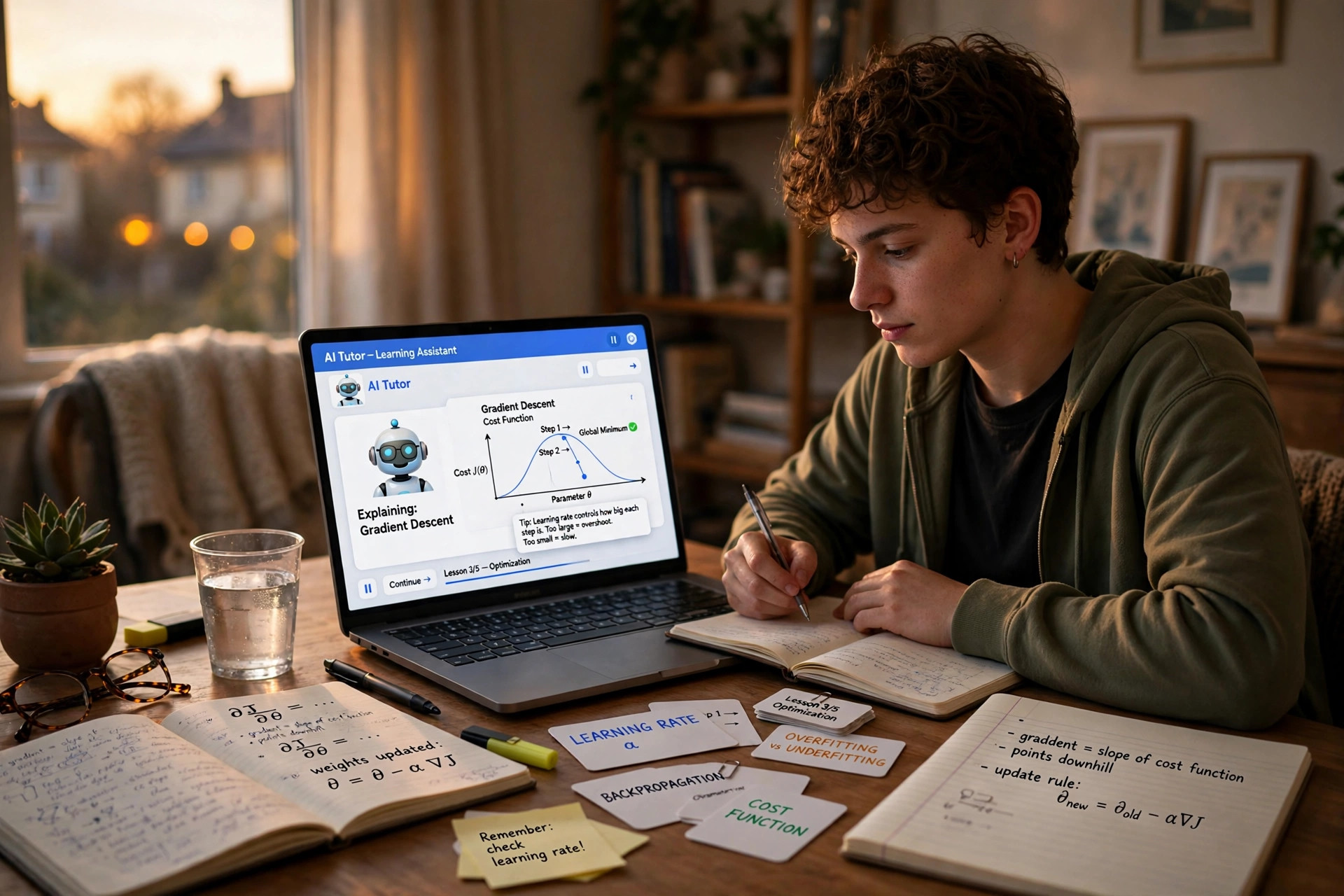
Learning used to mean a textbook, a teacher, and whatever you could remember the next morning. AI learning tools change the middle of that process, not the end of it: they can explain a hard idea in plain words, turn your notes into flashcards and practice tests, quiz you until the answer sticks, and answer a question at midnight when no teacher is around. Used well, they are the most patient tutor most people will ever have. Used badly, they do the homework for you, invent facts that sound right, and leave you confident about things you never actually learned. Most AI-assisted studying fails for the same reason most studying fails: nobody decided what "learned" means before starting. This guide shows how to use AI tools for learning properly: what to fix first, which tool fits which job, and where the honest limits are.
What AI learning tools actually do — and what they do not
There are four different kinds of tool hiding under the label "AI learning", and most disappointment comes from buying the wrong kind for the job. First, general AI tutors such as ChatGPT, Claude, Google Gemini and Kimi, which explain anything you ask about, in any subject, in plain language. Second, dedicated learning apps such as Khanmigo, Duolingo and Quizlet, which are built around a curriculum, a lesson plan, or a set of flashcards, and which know what you should learn next. Third, study helpers such as NotebookLM and ChatPDF, which read your own notes, textbooks and papers and turn them into summaries, quizzes and practice questions. Fourth, research assistants such as Perplexity, which answer questions with sources attached, so you can check where the answer came from. A tool from one group does not do another group's job, and no tool in any group should be trusted to decide whether you actually know something without testing you first.
What AI is genuinely good at: explaining a hard idea in five different ways until one of them clicks, generating unlimited practice questions on a topic, turning a wall of notes into flashcards and a study plan, and answering the small question that would otherwise stop your evening's work. What it is genuinely bad at: knowing what you do not know, telling you when you are wrong in a way that sticks, and judging whether you have really understood something or just recognised the words. The rule for this whole guide is simple: AI explains and tests, you do the learning. The moment an AI answer becomes the thing you submit, or the thing you memorise without checking, you have stopped learning and started copying.
Step 1: Decide what you are learning and how you will know it worked
Before you open any tool, write down the answer to two questions. First, what exactly are you learning — not "Spanish" or "biology", but "hold a five-minute conversation in Spanish" or "pass the biology midterm on cell division". Second, how will you know you have learned it — a test score, a conversation, a project you can show someone, a problem you can solve without looking. Most people skip this step and then wonder why a month of chatting with an AI tutor produced nothing they can demonstrate. The tool cannot set the goal for you, because it does not know what counts as success in your life. A vague goal produces vague studying, and a vague test produces a false sense of progress.
Then pick one honest measure and write it on paper. If you are learning a language, the measure is a conversation with a real person, not a streak. If you are studying for an exam, the measure is a practice test under timed conditions, not the number of pages you read. If you are learning a skill, the measure is a finished piece of work. Check that measure once a week, in the same way, and let it decide whether the tools are working. If the number is not moving after two weeks, the problem is not the tool — it is the plan, and changing apps will not fix it.
Step 2: Start with a general AI tutor — the free one you already have
The cheapest AI tutor is the one already in your pocket. ChatGPT is free to start, with limited access to the flagship model, and Plus costs $20 a month. Claude is free to start, with a paid plan above it. Google Gemini is free with a Google account. Kimi and Qwen are free to chat with, and Qwen has no paid consumer tier at all. All of them can explain a concept, walk you through a problem step by step, quiz you, and rephrase an explanation until it makes sense. For most learners, one of these free tutors is enough for the first month, and the paid plans only start to matter when you hit the free limits every day.
The trick is how you ask. "Explain photosynthesis" gives you a textbook paragraph you will forget by tomorrow. "Explain photosynthesis to me like I am 12, then ask me three questions about it, and tell me which ones I got wrong" gives you a lesson and a test. Always ask the tutor to test you, not just to explain — and always ask it to show its working on maths and science, so you can see where an answer went wrong. The test that matters most is the one you take without the tutor open: if you cannot answer the question from memory, you have not learned it yet, however good the explanation felt.
One honest warning that applies to every general tutor: they invent facts. A chatbot will explain a historical event that never happened, cite a study that does not exist, and state a wrong number with total confidence. For anything that matters — an exam, a paper, a professional qualification — check the answer against a real source: a textbook, a course, or a research assistant such as Perplexity, which shows its sources. The free tier of Perplexity gives cited answers with a limited number of Pro searches a day, and Pro costs $20 a month.
Step 3: Pick a specialist — flashcards, languages, or a real tutor
By now you know whether a general tutor is enough. If it is not, the first decision is not which brand to buy — it is what kind of learning you are doing. If you are memorising facts, dates, vocabulary or definitions, you need flashcards and spaced repetition, and Quizlet is the standard: a free plan with basic flashcards and Learn and Test modes, and Plus at $7.99 a month or $35.99 a year, which adds Magic Notes (upload your notes and it makes the flashcards), AI practice tests and Quick Summary. Note the cap: Plus limits Learn to 20 rounds and practice tests to 3 a month, and the unlimited version, Plus Unlimited, costs $9.99 a month or $44.99 a year. If you are learning a language, you need a language app, and Duolingo is the standard: free with ads and a daily energy limit, Super at about $12.99 a month for unlimited hearts and no ads, and Max at about $29.99 a month, which adds AI Roleplay and video calls with the character Lily for speaking practice.
If you are learning school maths, science or test prep, you need a tutor tied to a real curriculum, and Khanmigo is the honest pick: Khan Academy's AI tutor, which guides you with questions instead of giving you the answer, like a good teacher. It is free for teachers in 44-plus countries, and for learners and families it costs $4 a month or $44 a year — but only in the US, only with an adult account, and it is text-only, with no voice mode. One thing to know before you plan around it: an individual teacher cannot switch Khanmigo on for their students; classroom student access needs a school or district contract, so the free teacher tier is for lesson planning and teacher tools, not for putting the tutor in front of a class.
Pick one specialist and use it every day for two weeks before you add another. The free plan decides the shortlist for most people: Quizlet's free flashcards, Duolingo's free lessons, or a free general tutor. Pay only when the free plan blocks something you do every day — when the energy limit stops your language lesson, when the Learn rounds run out mid-revision, when you need the tutor to quiz you on your own notes rather than on its own knowledge.
Step 4: Build a study loop — explain, test, review, repeat
A tutor is not a study plan. The loop that actually works is short, and it has four steps. First, learn the idea: read the chapter, watch the lesson, or ask the tutor to explain it. Second, explain it back: in your own words, out loud or in writing, without looking — if you cannot explain it, you do not know it, and the AI can check your explanation and point out the gaps. Third, test yourself: flashcards, practice questions, a timed quiz, with the answers hidden until you commit to one. Fourth, review what you got wrong the next day, not the same day — the gap is what makes the memory stick, and it is the reason spaced repetition works.
This is where the specialist tools earn their money. Quizlet's Learn mode schedules the cards you get wrong to come back sooner, which is the whole point of spaced repetition. Duolingo's streak and daily goal keep the loop going on days you would otherwise skip. Khanmigo's Socratic style — it asks you questions instead of handing you answers — forces the explain-it-back step that most learners skip. And a general tutor such as ChatGPT or Claude can generate the test: paste your notes and ask for ten questions, with the answers on a separate page, and take the test with the chat closed.
Set the loop up once, on paper, and follow it for a month before you change it. Twenty minutes a day, every day, beats three hours on Sunday — and the loop only works if the test step is honest. A test you take with the answers visible is not a test. A flashcard you flip before trying to remember is not a flashcard. The AI will not enforce this for you; it will happily tell you that you are doing well. You have to be the one who closes the tab and answers from memory.
Step 5: Use AI to make your own study material
The fastest way to learn a subject is to turn your own notes into study material, and this is where AI is genuinely useful. Upload your lecture notes, your textbook chapter or your meeting notes to NotebookLM — free, with 100 notebooks and 50 sources per notebook — and ask it to make a summary, a quiz, and an Audio Overview you can listen to on a walk. Upload a PDF to ChatPDF and ask it questions about the document instead of re-reading the whole thing. Paste a long article into ChatGPT or Claude and ask for a one-page summary, then a set of flashcards, then ten exam-style questions with a mark scheme.
Three rules keep this honest. First, the material must come from your own sources: an AI summary of a chapter you never read is not knowledge, it is a shortcut past the reading, and it will fail you on the exam question that asks for the detail the summary dropped. Second, check the generated questions against the source: AI invents plausible-sounding facts, and a practice question built on a wrong fact teaches you the wrong answer. Third, make the material yourself at least once: writing the flashcards by hand, even once, teaches you more than generating a hundred of them, because the act of choosing what matters is the learning. Use the AI to multiply material you already understand, not to replace understanding it in the first place.
A note on cost: almost everything in this step is free. NotebookLM's free tier is the most generous in the category — 100 notebooks and 50 sources each is a real study setup, not a trial — and higher limits come through Google AI plans from $4.99 a month. ChatPDF has a free plan for quick answers from one PDF. You do not need to pay for any of this until you are generating material every day.
Step 6: Keep the learning honest — check the AI, don't copy it
The biggest risk in AI-assisted learning is not that the AI is wrong. It is that the AI is helpful. When the tutor writes your essay, solves your problem set, or answers your homework, the work gets done and the learning does not happen — and the exam, the interview, or the real job will find the gap later, when there is no chatbot to ask. Most schools and universities now have rules about this, and they vary: some allow AI for brainstorming and editing, some ban it for assessed work entirely, and the penalty for getting it wrong can be a failed course. Read your institution's rules before you use AI on anything that counts, and when in doubt, ask the teacher — it is a much smaller conversation than the one after a plagiarism finding.
Build one habit that protects you: for every AI answer that matters, check it against a second source. A textbook, a course page, a paper, or a cited answer from Perplexity. If the two disagree, trust the source, not the chatbot. And keep a simple record of what you used AI for: the date, the tool, and what you asked it to do. It takes thirty seconds, and it is the difference between being able to show your work and having to explain why you cannot.
One more thing to check before you build a long-term study habit on one tool: export. Can you download your flashcards, your notes and your quizzes, in a format you can read without the tool? A learning app that locks your study material inside its own subscription is a subscription you can never leave, and tools shut down or change their pricing — Quizlet's Plus caps changed during 2026, and Duolingo does not publish its prices on its own website, so the price you see in the app can differ from the one a review quotes. Prefer a tool that lets you export everything, and keep a copy of the material that matters somewhere you control.
Tools to try, with honest notes
ChatGPT: start here, because the free tier is enough for most explaining and quizzing, and Plus at $20 a month buys the higher limits. Best for anyone learning anything who wants one tutor for every subject; skip it if you need a structured curriculum, because it has none — you have to bring the plan. Claude: the careful explainer, free to start, with a paid plan above it. Best for long, careful explanations and for working through written material; skip it if you want flashcards or a lesson plan, which it does not provide. Google Gemini: the free tutor inside your Google account, with higher limits from $4.99 a month on Google AI Plus. Best for anyone already in Google's apps; skip it if you want a dedicated learning app rather than a general chat.
Khanmigo: the real AI tutor, free for teachers, $4 a month or $44 a year for learners and families in the US. Best for school maths, science and test prep, where the Socratic style — questions, not answers — actually teaches; skip it if you are outside the US, because the learner subscription is US-only, and if you are a teacher who wants it for students, because classroom access needs a district contract. Quizlet: the flashcard standard, free with basic sets, Plus at $7.99 a month or $35.99 a year. Best for memorising facts, vocabulary and exam terms with spaced repetition; skip it if you need unlimited Learn rounds on the basic Plus plan, because Plus caps them at 20 a month — Plus Unlimited at $9.99 a month is the plan that removes the limits. Duolingo: the language app, free with ads and an energy limit, Super at about $12.99 a month, Max at about $29.99 a month. Best for daily language practice and speaking with the AI Roleplay and video-call features on Max; skip it if you want to learn a language to fluency, because no app alone gets you there — you need real conversation too.
NotebookLM: the study helper for your own material, free with 100 notebooks and 50 sources each. Best for turning your notes and textbooks into summaries, quizzes and listenable Audio Overviews; skip it if your question is about the news or a topic you have not uploaded, because it answers only from your sources. Perplexity: the cited answer engine, free with a limited number of Pro searches a day, Pro at $20 a month. Best for checking an AI answer against real sources; skip it as a tutor, because it answers questions rather than teaching a subject. ChatPDF: the quick answer from one PDF, free to start. Best for asking questions about a paper or a textbook chapter without re-reading it; skip it if you need a whole study workspace, which is NotebookLM's job. And a note on the tool that is not a learning tool: Gamma can turn your notes into a presentation in minutes, and it is free to start — but a beautiful deck is not the same as knowing the material, and presenting it is the test, not the learning.
Common pitfalls, honestly stated
The first pitfall is copying instead of learning. When the AI writes the essay, solves the problem set or answers the homework, the work gets done and the learning does not — and the exam will find the gap. Use AI to explain and to test, never to submit. The second pitfall is trusting the answer. AI tutors invent facts, cite studies that do not exist and state wrong numbers with total confidence. Check anything that matters against a real source. The third pitfall is the streak: a 200-day Duolingo streak feels like progress, but a streak is a measure of opening the app, not of speaking the language. Judge yourself by the real test — a conversation, an exam, a finished piece of work — not by the number on the screen.
The fourth pitfall is collecting tools instead of studying. Five learning apps, three tutors and two flashcard systems is not a study plan — it is procrastination with a subscription. Pick one general tutor and one specialist, use them every day for a month, and only then decide whether something is missing. The fifth pitfall is the free tier that quietly stops working: Quizlet's Plus caps, Duolingo's energy limit, the free tutor's message limit — all of them are designed to push you to pay, and the honest question is whether the thing they block is something you do every day. If it is, pay. If it is not, the free plan is enough, and the money is better spent on a book. The sixth pitfall is the one nobody warns you about: learning gets easier to start, so you start more things. When every subject has a tutor waiting, the calendar fills with half-started courses and the one subject that mattered gets an hour a week. The point of AI learning tools is not to learn more things. It is to finish learning the one thing you started.
Frequently asked questions
What is the best free AI tool for learning? For explaining and quizzing on any subject, a free general tutor — ChatGPT, Claude or Google Gemini — because the free tier covers most everyday questions. For flashcards, Quizlet's free plan. For languages, Duolingo's free plan. For studying your own notes, NotebookLM's free plan, with 100 notebooks and 50 sources each. The honest answer is that the best free tool is the one that fits the subject you are actually learning, and for most people that is one general tutor plus one specialist, both free.
Can AI really replace a teacher? For explaining a concept and generating practice questions, often yes — a good AI tutor is more patient than any human, and it never gets tired of the same question. For knowing what you need to learn next, for judging whether you have really understood something, and for the accountability of a real person expecting your work, no. The best setup is both: the AI for the daily explaining and testing, and a teacher, a class or a study group for the plan and the check.
Is it cheating to use AI for homework? It depends on your school or university, and the rules vary widely. Most allow AI for brainstorming, explaining and editing; many ban it for work you submit as your own. Read your institution's rules, and when in doubt, ask the teacher. The learning reason matters more than the rule, though: if the AI does the homework, you do not learn the material, and the exam will find the gap.
How do I stop AI from giving me the answer instead of teaching me? Ask it to teach, not to answer: "Don't give me the answer — ask me questions until I find it" is a prompt that works on every major tutor, and Khanmigo is built this way by default. Then close the chat and answer from memory. If you cannot answer without the tutor open, you have not learned it yet.
Quizlet or Duolingo — which should I pick? They do different jobs: Quizlet is for memorising facts, vocabulary and exam terms with flashcards and spaced repetition, from free or $7.99 a month on Plus. Duolingo is for learning a language day by day, from free or about $12.99 a month on Super. If you are revising for an exam, pick Quizlet. If you are learning a language, pick Duolingo. Many learners keep both, for different subjects.
Khanmigo or ChatGPT — which is the better tutor? Khanmigo if you are learning school maths, science or test prep and want a tutor that asks questions instead of giving answers: free for teachers, $4 a month or $44 a year for learners and families in the US. ChatGPT if you are learning anything else and want one tutor for every subject: free to start or $20 a month on Plus. Try ChatGPT free first — if the subject is school maths and you are in the US, try Khanmigo too, and pick the one whose questions make you think harder.
More tools to explore
ChatGPT
A general AI assistant for writing, brainstorming, explanation, analysis and everyday problem solving.
CLClaude
An AI collaborator suited to long documents, complex reasoning, first drafts and multi-step project work.
PXPerplexity
An answer and research tool built around web discovery, synthesis and source-backed exploration.
MJMidjourney
A generative image platform for concept art, visual exploration and polished creative imagery.